
Find orders and check storage dates
Review your purchases, payment documents and event deadlines.
Before you start
Sign in with the account used for the purchase.
Steps
Screenshots show the SnapAlbum web app with fictional demo data. Prices and dates are examples.
Open Billing to review your event plans and order history.
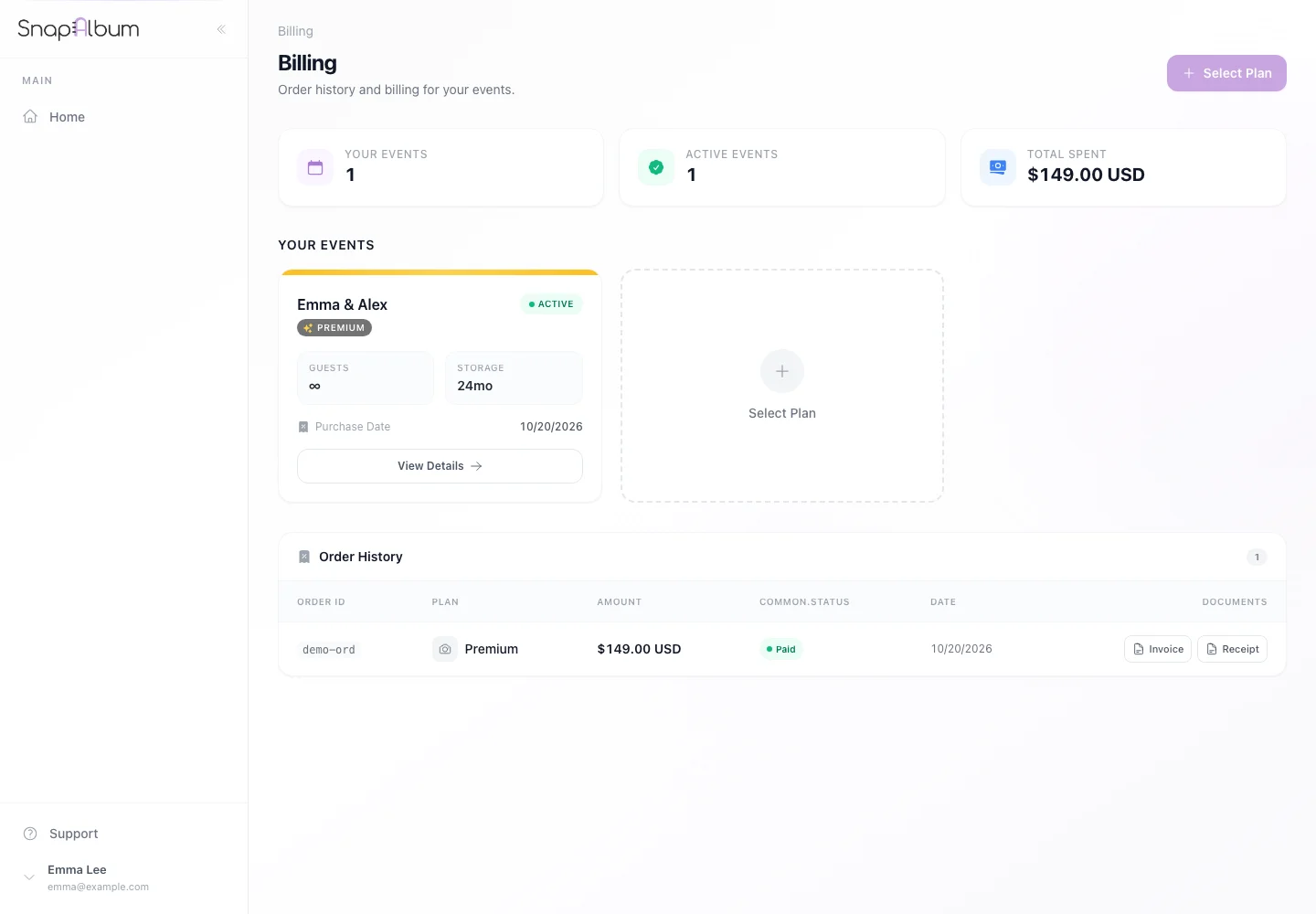
Open Billing to review your event plans and order history. Use the invoice or receipt control when it is available for a completed web order. For an app-store purchase, use the store’s receipt and support process.
Use the invoice or receipt control when it is available for a completed web order. For an app-store purchase, use the store’s receipt and support process. Open the event settings to check its storage dates and any available renewal or restoration options. Download a backup before access ends.
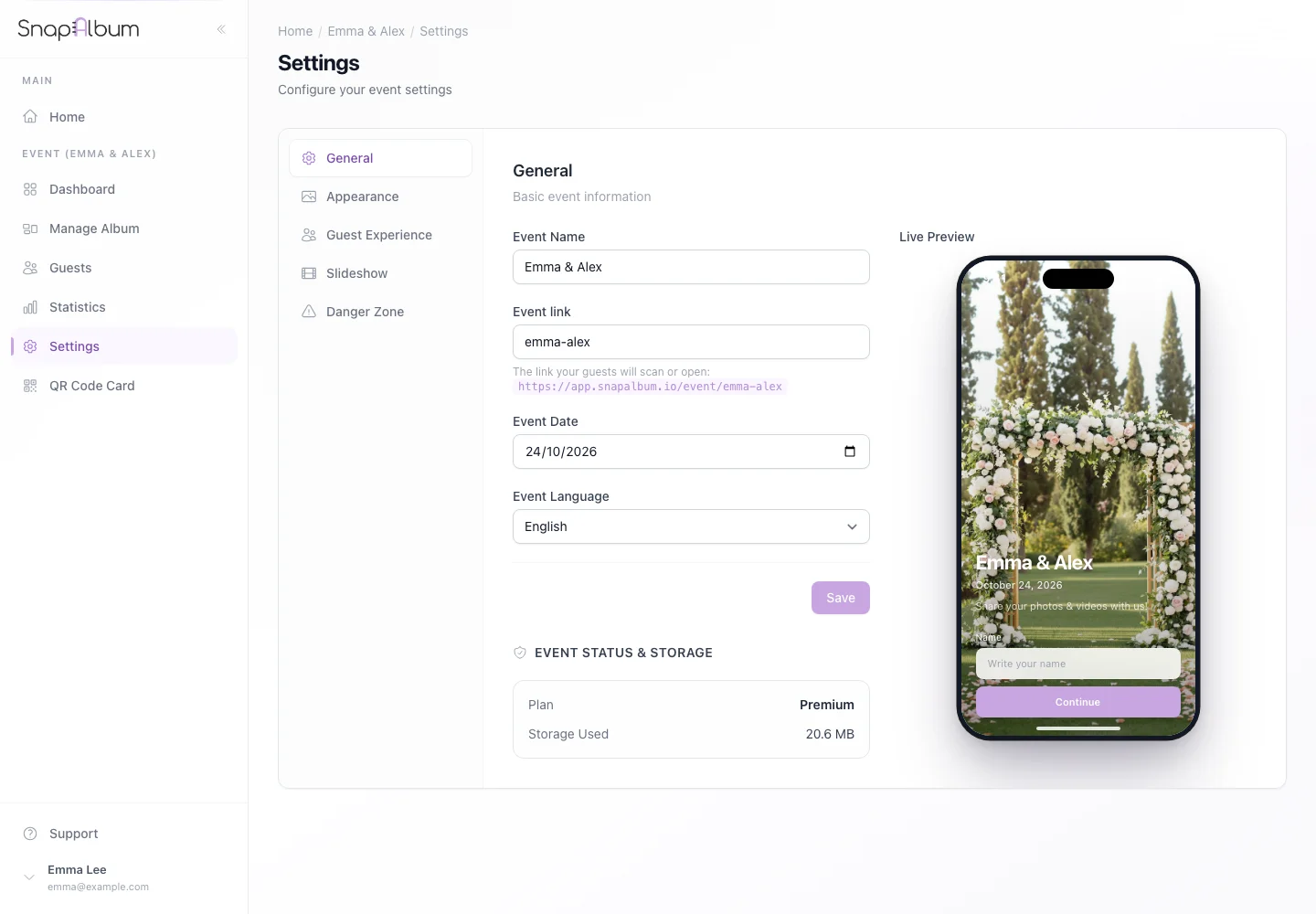
Open the event settings to check its storage dates and any available renewal or restoration options. Download a backup before access ends.
When you are done
You know where to find your purchase records and storage dates.
If something goes wrong
If an order is missing, check the purchase email and payment channel. Contact support with the order reference rather than paying again.
Available features, photo storage periods and printed QR cards depend on your plan and region.