
Share your QR code and event link
Help guests open the right event on their phones.
Before you start
Activate your event and check the welcome page before sharing.
Steps
Screenshots show the SnapAlbum web app with fictional demo data. Prices and dates are examples.
Open the event overview and locate the guest QR code and link.
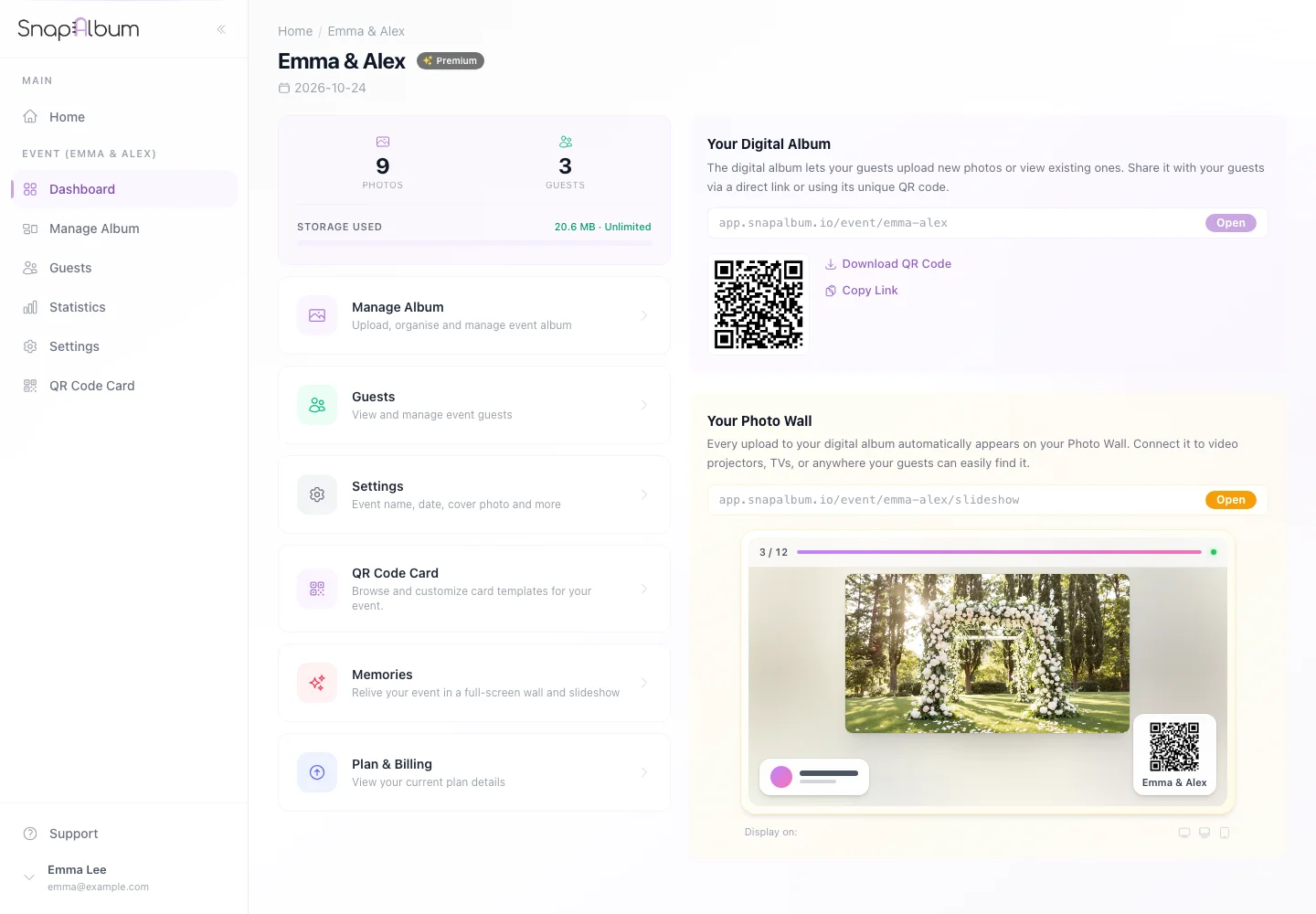
Open the event overview and locate the guest QR code and link. Download the QR code for your invitations or venue display, or copy the guest link into your message.
Download the QR code for your invitations or venue display, or copy the guest link into your message. Scan the code on a phone and confirm that the correct welcome screen opens. Share it with your guests.
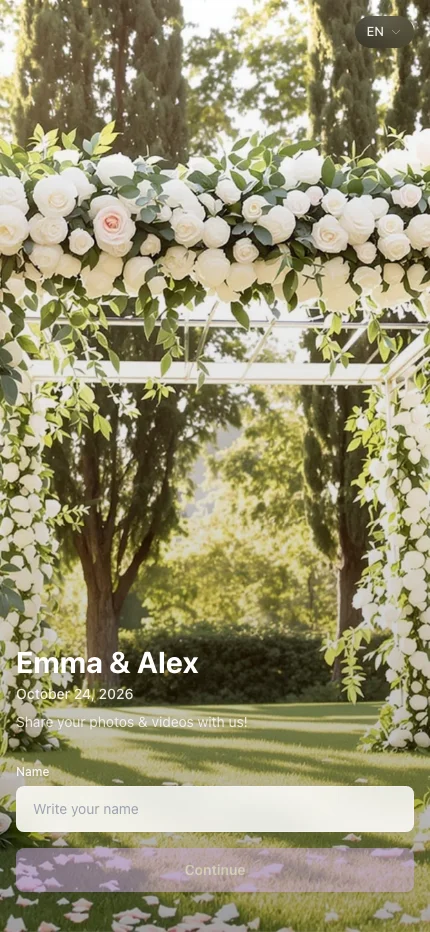
Scan the code on a phone and confirm that the correct welcome screen opens. Share it with your guests.
When you are done
Guests can open your event without installing an app.
If something goes wrong
Use the guest link rather than the host dashboard address. Recheck printed codes if the event link changes.
Available features, photo storage periods and printed QR cards depend on your plan and region.