
Change event details and language
Update the name, date and default guest language.
Before you start
Open the event settings as the host.
Steps
Screenshots show the SnapAlbum web app with fictional demo data. Prices and dates are examples.
Choose the General tab in event settings.
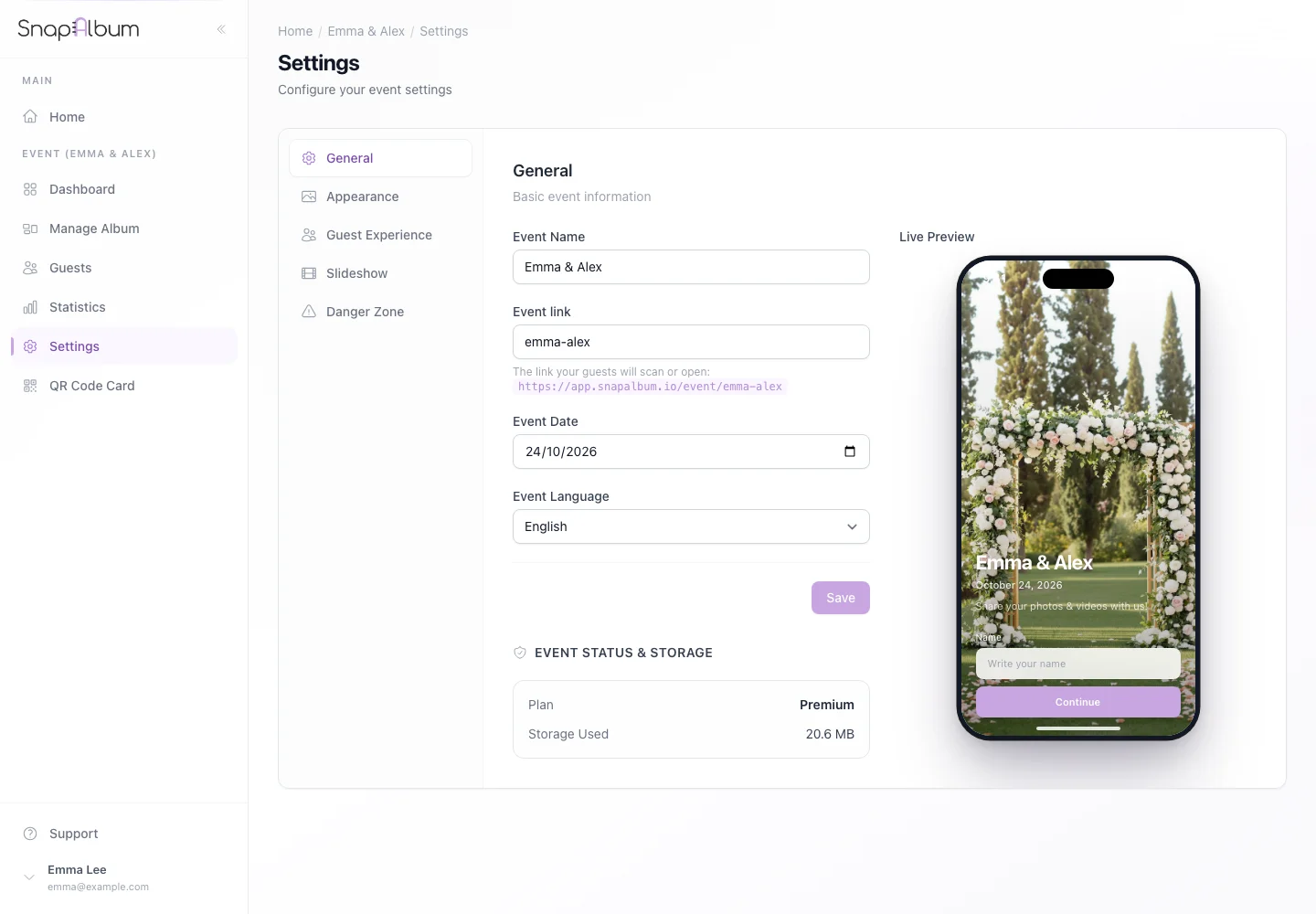
Choose the General tab in event settings. Edit the event name, date and default language. Read the warning before changing an event link; printed QR cards can lock the link.
Edit the event name, date and default language. Read the warning before changing an event link; printed QR cards can lock the link. Save your changes and open the guest page to check the result.
Save your changes and open the guest page to check the result.
When you are done
Your event displays the updated details.
If something goes wrong
If a field cannot be changed, read the notice beside it. Avoid changing a link already sent to guests.
Available features, photo storage periods and printed QR cards depend on your plan and region.