
Choose what guests can see and do
Control guest access and media options.
Before you start
Some media features require a higher plan.
Steps
Screenshots show the SnapAlbum web app with fictional demo data. Prices and dates are examples.
Open Settings and choose Guest experience.
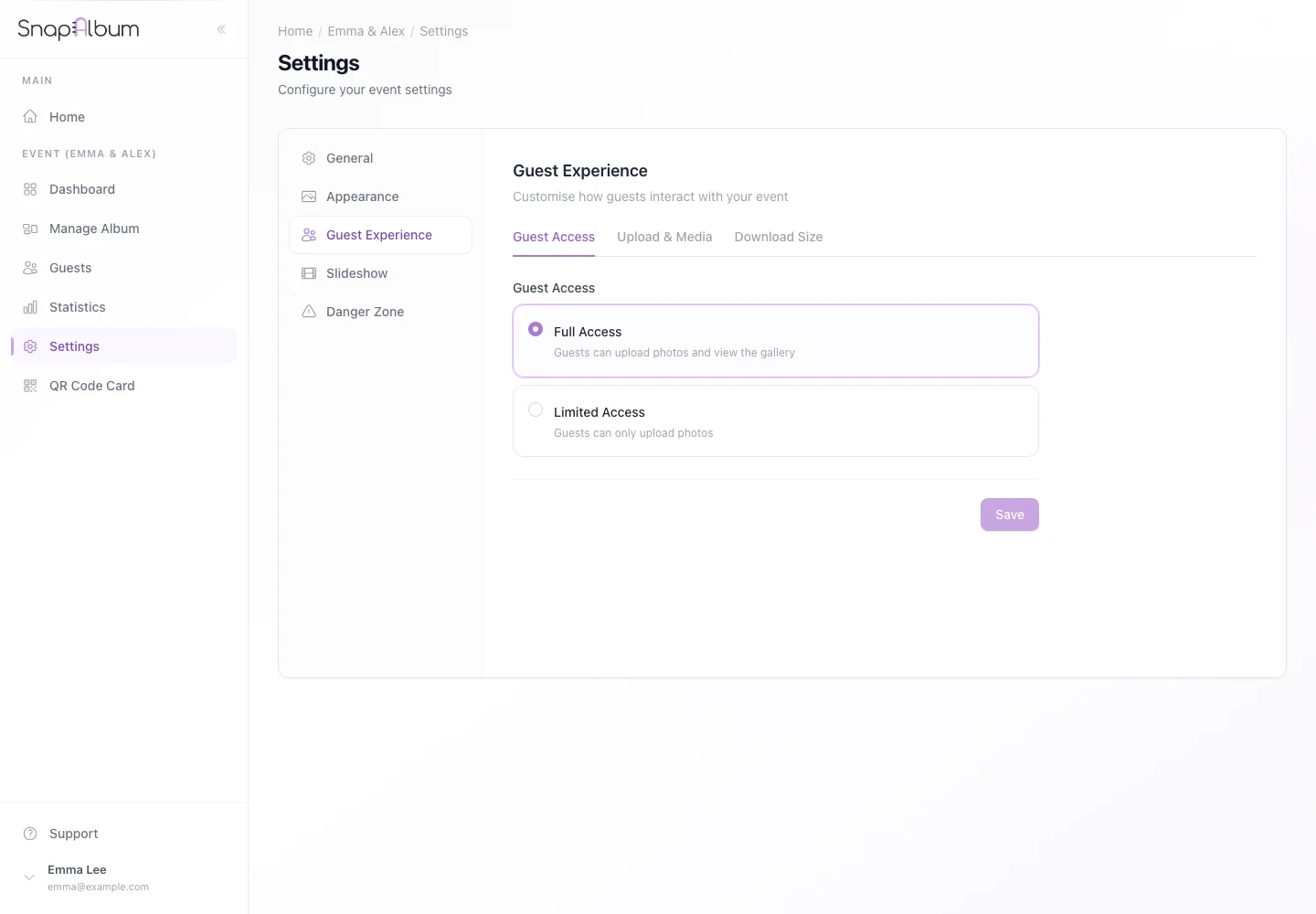
Open Settings and choose Guest experience. Choose full or limited guest access. Review the media options for video uploads and the video guestbook.
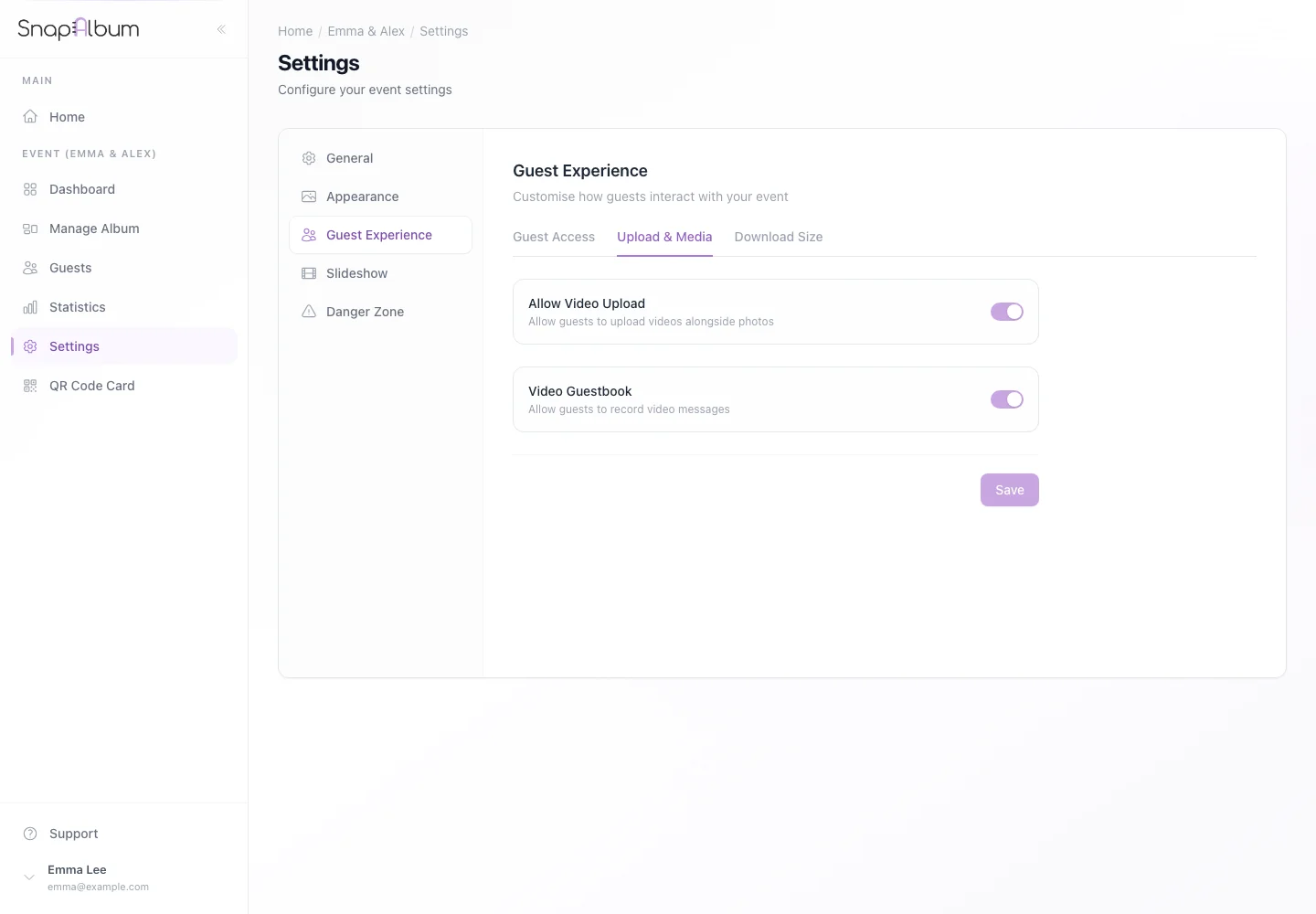
Choose full or limited guest access. Review the media options for video uploads and the video guestbook. Save your changes, then open the guest menu to check which actions are available.
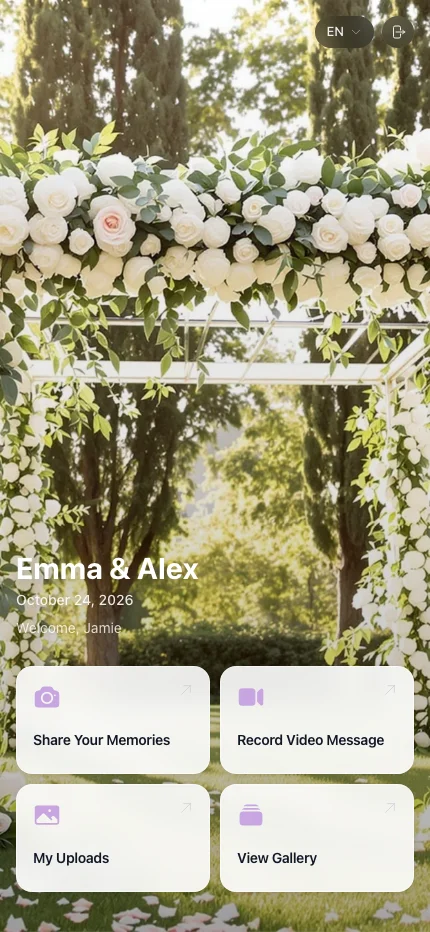
Save your changes, then open the guest menu to check which actions are available.
When you are done
Guests have the access you selected.
If something goes wrong
If an option is locked, check the plan. Limited access can hide the shared gallery while still allowing guests to upload.
Available features, photo storage periods and printed QR cards depend on your plan and region.