
Fix an upload problem or contact support
Get an interrupted upload moving again and report a problem.
Before you start
Keep the event name, browser and error message available.
Steps
Screenshots show the SnapAlbum web app with fictional demo data. Prices and dates are examples.
Check the upload status and your connection. Keep the page open and retry failed files after the connection recovers.

Check the upload status and your connection. Keep the page open and retry failed files after the connection recovers. If the guest link opened inside a messaging app, use the open-in-browser notice or copy the link to Safari or Chrome. Check the event is still accepting uploads.

If the guest link opened inside a messaging app, use the open-in-browser notice or copy the link to Safari or Chrome. Check the event is still accepting uploads. Hosts can open Support to report a bug or suggestion. Include what you did and the exact error. Guests can ask their host or email info@snapalbum.io.
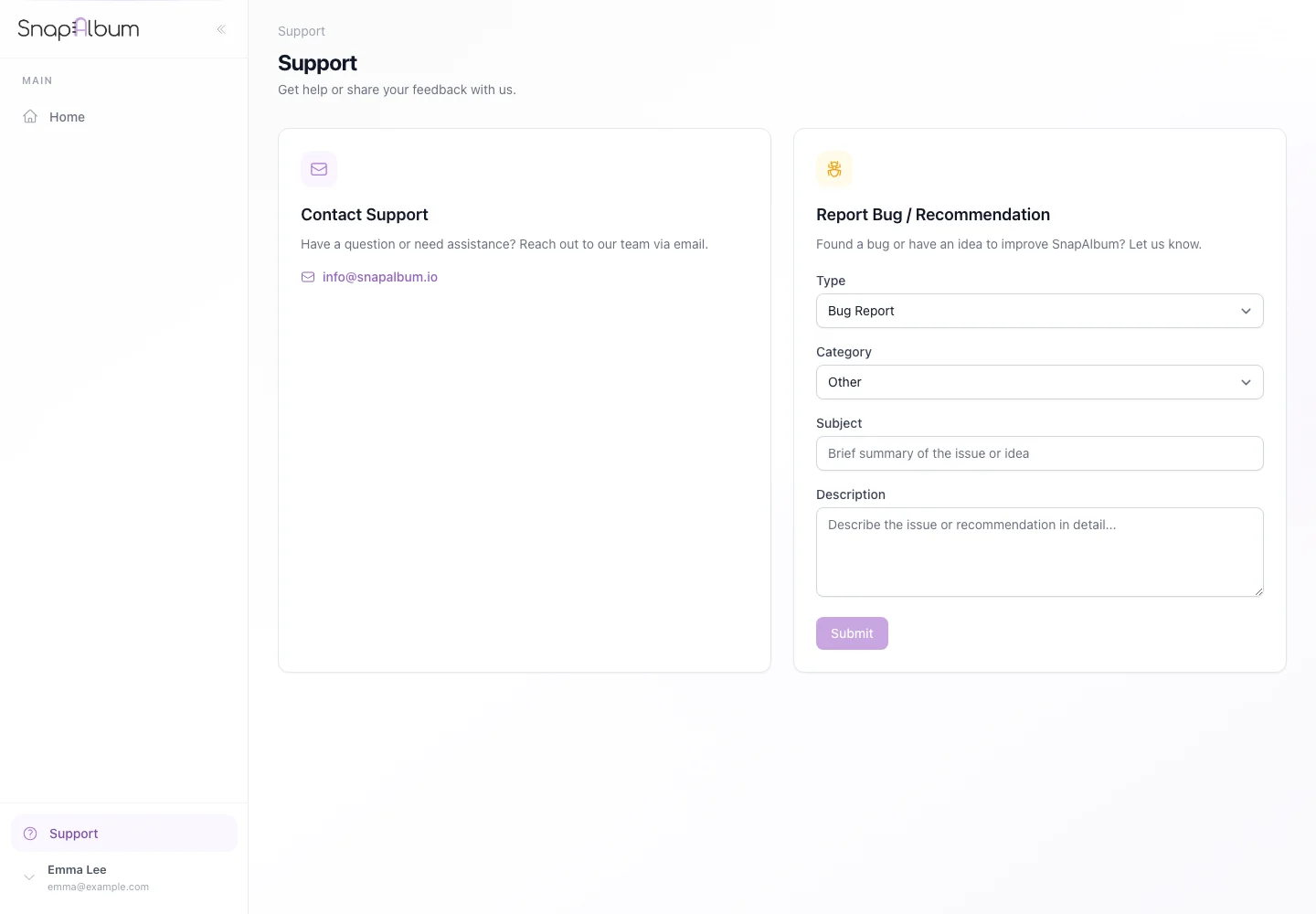
Hosts can open Support to report a bug or suggestion. Include what you did and the exact error. Guests can ask their host or email info@snapalbum.io.
When you are done
You have tried the common fixes or sent support the details needed to help.
If something goes wrong
Do not repeatedly upload files that already completed. A plan limit, closed upload period or unsupported file may need the host’s help.
Available features, photo storage periods and printed QR cards depend on your plan and region.